
Managing your subscription
Learn how to manage your AnyPDFfiller Premium subscription from Settings — view your plan, update payment, and cancel or renew whenever you need to.
You can manage your Premium subscription at any time from the Settings page. Open My Account and select the Settings tab.
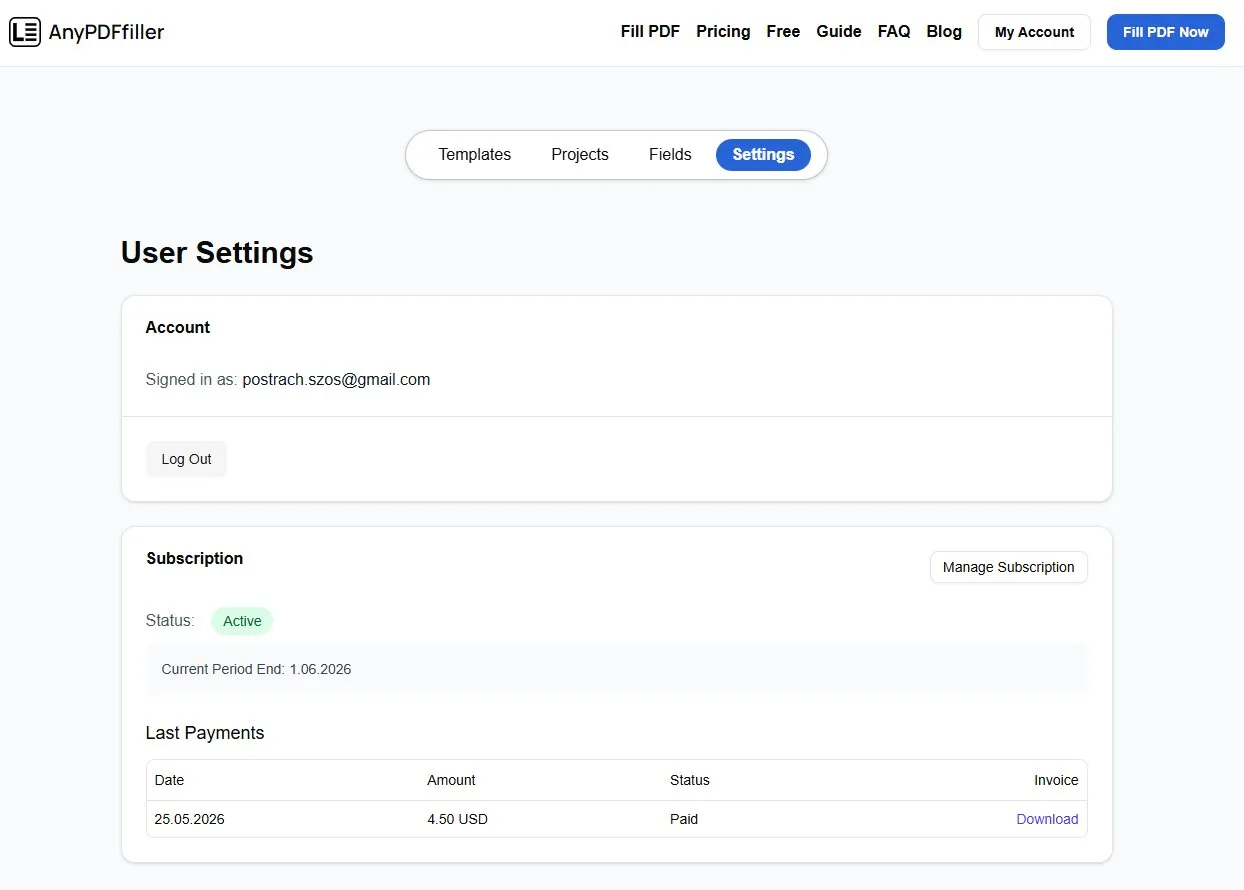
What you can see
The Settings page shows your current subscription status and details, along with a history of your past Premium payments — and you can download a paid invoice for any of them for your records.
Change or cancel your plan
Press the Manage Subscription button to open the billing portal, where you can update your payment method or cancel the plan. If a subscription has lapsed and you want Premium back, press Renew to reactivate it.
Good to know
- While your subscription is active, your downloads stay watermark-free. If it lapses, the watermark returns until you renew.
- You can also log out of your account from this page.
- Not on Premium yet? See how to purchase a Premium account.
Cancelling — what actually happens
Cancelling stops the subscription from renewing; it does not wipe your account. Your saved projects, templates, and reusable fields stay where they are. What changes is the watermark: once the paid period ends, downloads carry it again until you renew.
That means there is no rush to cancel “before losing your work.” If you finish a batch of paperwork and do not need the tool for a while, cancel freely — everything you saved is still there whenever you come back.
Invoices and receipts
Every past Premium payment is listed on this page, and each one has a downloadable paid invoice. This is the copy to keep if you are claiming the subscription as a business expense — freelancers and small businesses filling client paperwork usually want these at tax time, and they are easier to grab as you go than to hunt for later.
Renewing after a lapse
If a plan lapsed — an expired card, or you cancelled and later needed the tool again — the Renew button reactivates it. You do not create a new account or lose saved work; the same account picks up where it left off, and downloads go back to being clean.
Frequently asked questions
How do I cancel?
Open Settings, press Manage Subscription to reach the billing portal, and cancel there. It takes effect at the end of the current paid period.
Do I lose my saved projects if I cancel?
No. Projects, templates, and saved fields remain in your account. Only the watermark-free download stops.
Can I update my card without cancelling?
Yes — the same Manage Subscription portal is where you change the payment method.
Where do I get a receipt for my accountant?
From this page — the payment history lists every charge with a downloadable paid invoice.
Ready to start filling your PDFs?
Fill out PDF documents like a pro in minutes - no premium account needed.







