
Adding text fields
Add editable text fields to any PDF and type names, dates, addresses, and other details straight onto the form's blank lines.
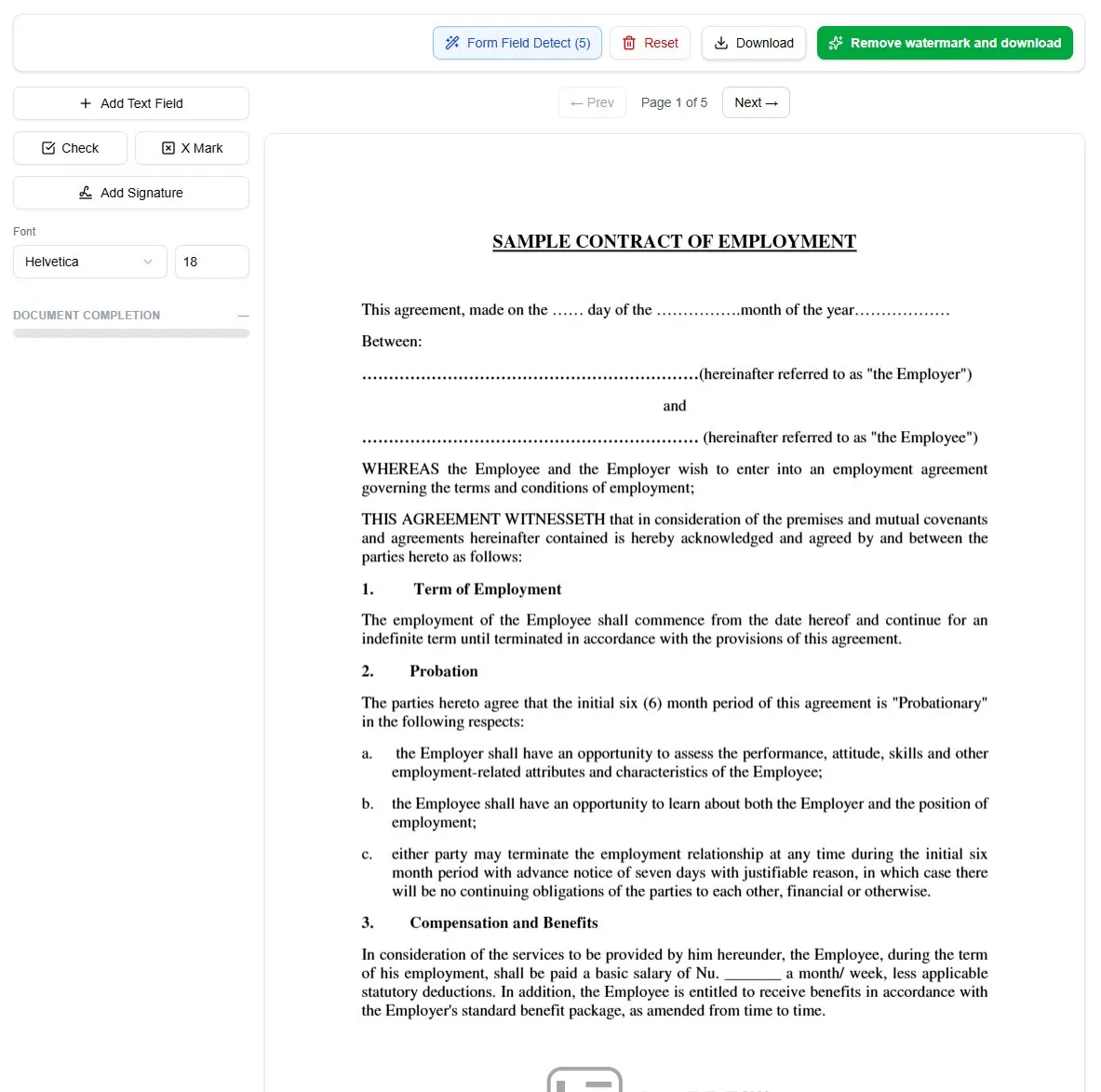
Text fields are for the parts of a form you type into — a name, a date, an address, an amount, a reference number. Each field holds characters you can edit at any time, so they’re the right tool for every blank line and write-in box on the page.
Add a text field
There are three ways to start:
- Click the + Add Text Field button in the left toolbar, move the cursor onto the document, and click where the field should go.
- Double-click anywhere on the page to drop a field at that spot.
- Right-click the page and choose + Text field from the menu.
Once the field is placed, click into it and type. Drag it to reposition, and pull its edges to resize and adjust it so it lines up with the printed line or box beneath.
Match the form’s style
Use the Font and size controls in the left sidebar to keep your entries legible and consistent with the printed form — a smaller size for tight boxes, a larger one for name and title lines. Because the text stays editable, you can fix a typo or update a value without starting over: select the field and change its Value in the sidebar.
Cancel or remove a field
Press ESC while placing to cancel. To delete a field you’ve added, select it and press DEL, click the trash icon in the left sidebar, or right-click the field and choose Delete field.
Tip: On forms with lots of blanks, run AI field detection first — it finds the fillable spots and places text fields for you, so all you do is type the answers.
Ready to start filling your PDFs?
Fill out PDF documents like a pro in minutes - no premium account needed.







