
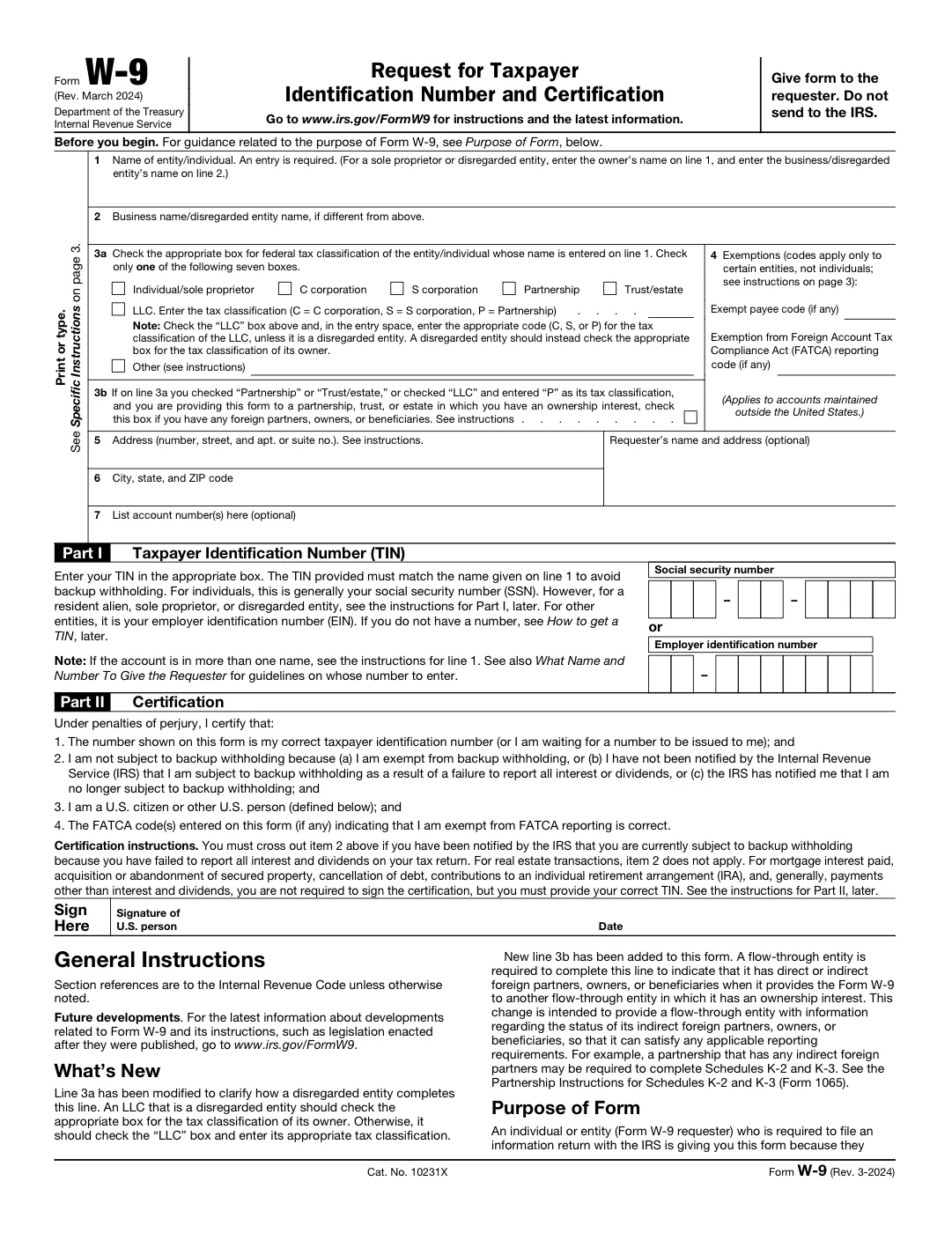
What a W-9 is for
Form W-9, Request for Taxpayer Identification Number and Certification, is the IRS form a business asks you to complete so it can correctly report the money it pays you — usually because you are a freelancer, independent contractor, or vendor. You fill it out and return it to the requester; you do not send a W-9 to the IRS yourself.
The requester keeps it on file and uses your details to issue a 1099 at the end of the year. Because it carries your taxpayer ID, it is worth completing it neatly and keeping your own copy.
What is on the form
A W-9 asks for:
- your name, and a business name if you use one;
- your federal tax classification — individual / sole proprietor, C corporation, S corporation, partnership, trust, or LLC;
- your address;
- your Taxpayer Identification Number — an SSN for an individual, or an EIN for a business entity;
- your signature and the date.
How to fill a W-9 with AnyPDFfiller
Click Fill Out the W-9 Online and the blank IRS Form W-9 (Rev. March 2024) opens in the editor. If a requester sent you their own copy, you can upload that PDF instead. AnyPDFfiller detects the fields, so you can type your name and address, tick the correct tax-classification box, enter your TIN, and add your signature. When it is complete, download the finished PDF and send it to whoever requested it.
We help you fill the form — we do not give tax advice. If you are unsure which tax classification applies to you, check the instructions printed on the W-9 or ask a tax professional.
W-9 questions people ask
Do I send the W-9 to the IRS?
No. You return it to the person or business that asked for it — they keep it and use it to report what they pay you.
Where do I get a blank W-9 PDF?
Right here: download the blank W-9 (the official IRS PDF, Rev. March 2024), or open it straight in the editor to fill it online. The IRS also publishes it at irs.gov/FormW9, together with any newer revision.
Which TIN do I enter — SSN or EIN?
An individual or sole proprietor typically uses an SSN; a business entity uses its EIN. The instructions on the W-9 explain which applies to your situation.
Can I sign the W-9 online?
Yes. Add your signature the same way you add text, then download the signed PDF ready to send back.
Is filling a W-9 online free?
Yes — you can fill it and download it for free. A clean, watermark-free copy is the premium download.







